
BLOG
Is Your Learning Tech Stack Becoming a Frankenstack?
How to identify a Frankenstack and build the LMS business case to fix it.
BLOG
Is Your Learning Tech Stack Becoming a Frankenstack?
How to identify a Frankenstack and build the LMS business case to fix it.
Table of Contents
7 signs your LMS is sitting inside a Frankenstack
How much does a Frankenstack cost?
How to build the LMS business case?
- Step 1: Map every system around your LMS
- Step 2: Align the people who approve it
- Step 3: Translate complexity
- Step 4: Define the future state
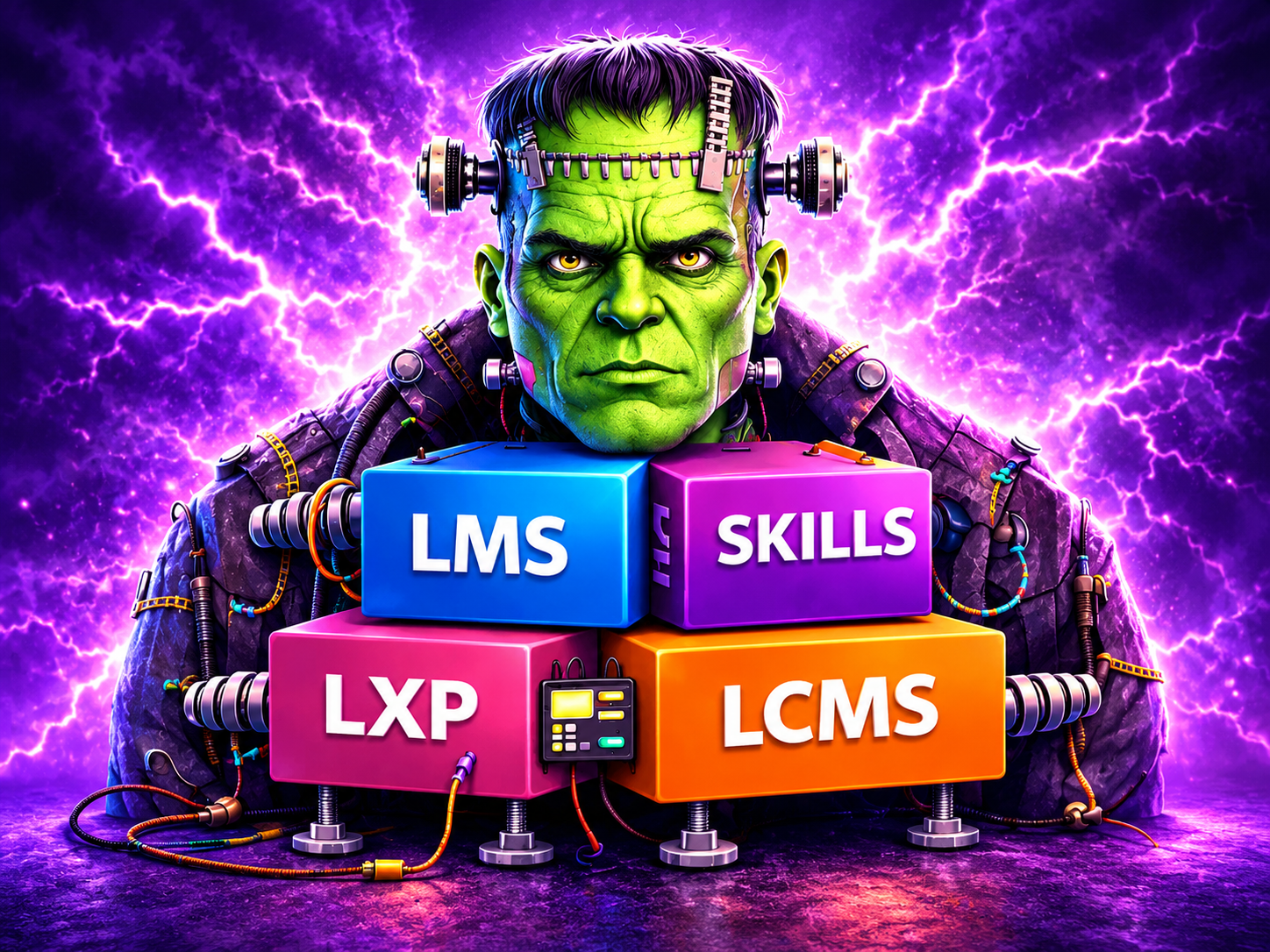
If your learning environment feels stitched together across multiple systems, you are not alone.
Many enterprise teams are running a growing combination of LMS, LXP, skills tools, content providers, and partner platforms. Over time, what started as thoughtful additions can turn into a fragmented learning tech stack that is harder to manage, measure, and defend during budget reviews.
What is a Frankenstack?
A Frankenstack is a learning technology environment assembled one decision at a time, usually around an LMS. It is rarely planned but instead results from natural business growth, competing needs, and timely decisions. Over time, it adds up to a complicated, costly mess.
Every piece may work on its own, but the trouble is in the seams between them.
So how does a stack end up like this?
Nearly 89% of enterprises have an LMS, according to Training magazine’s 2025 Training Industry Report. But when Fosway Group asked L&D teams whether their learning platforms were fit for the modern workforce, less than 40% said yes.
Instead of replacing their LMS, they buy something to cover the gap instead. You can see it in the buying plans: in that same Training magazine report, 45% of organizations said they planned to buy online learning tools and systems in the coming year, but only 14% planned to buy an LMS.
A few years of quick fixes later, you have a Frankenstack.
Seven signs your LMS is sitting inside a Frankenstack
Your LMS is no longer the system of record. Some data lives in the LMS, while other data lives in another platform. Maybe it’s even worse, and someone reconciles them by hand every month.
- Your LMS is no longer the system of record. Some data lives in the LMS, while other data lives in another platform. Maybe it’s even worse, and someone reconciles them by hand every month.
- Audit prep is a project. Proving who was trained, on which version, by which date means pulling evidence from the LMS and several other systems.
- One person, several records. The same learner is an employee in the LMS and a different ID in the partner portal. Nobody fully trusts the headcount.
- You run more than one LMS. A business unit, a region, or an acquisition kept its own, and it was never folded in.
- Upgrades break things. Each LMS release puts an integration at risk, and IT finds out after learners do.
- Renewals land on different dates. There is never a clean moment to change anything.
- New audiences mean new tools. Training customers or partners starts another procurement cycle, because the LMS was set up for employees only.
One or two of these are common. But if most of them sound familiar, you have a Frankenstack.
The tricky part is that it rarely breaks all at once. It just keeps costing you a little more time and money each quarter until someone finally asks why.
What does a Frankenstack actually cost?
License fees are the cost everyone sees. The higher costs tend to hide in the gaps between platforms. A Frankenstack is harder to manage, harder to measure, and harder to defend to your CFO. Those costs usually show up in a few ways:
- Overlapping licenses. In a 2026 Go1 survey of 950 senior leaders involved in learning technology decisions, 79% of finance leaders reported duplicate or overlapping tools. This means two systems licensed for the same learners, or the same content bought twice.
- Integration upkeep. Every system around the LMS needs its own connections. Each one has to be retested whenever either side updates or changes.
- Admin time. Enrollments, completions, and certifications get re-keyed or reconciled between systems. Furthermore, this manual work is rarely in anyone’s job description, and it never appears as a line in the budget.
- Compliance exposure. When training records are split between the LMS and other systems, an overdue certification is easy to miss, and proving compliance takes longer than it should.
Training Magazine found that organizations spend an average of 13% of their training budget on learning tools and technologies. Unfortunately, we see that number even higher when overlapping systems are adopted, and additional support is required to maintain the integrations between them.
So how do you build a business case? We will tell you.
How to build the LMS business case
Knowing your stack costs too much is one thing. Getting the budget to fix it is another. Leadership won’t fund frustration, but they will fund a case that shows where the money and the hours are going. These four steps get you there.
Step 1: Map every system around your LMS
Start with a technology platform inventory. Most teams have never seen their full learning stack on one page, and it usually comes as a surprise.
For each system, capture:
- What it does and who uses it?
- Annual license and services cost
- Contract owner and renewal date
- What it integrates with, and who maintains those connections?
- Whether its completion data reaches the LMS, and how?
- Admin hours per month
- Which reports or compliance evidence depend on it?
A simple inventory might look like this. Your systems and owners will differ.
| System | Typical owner | What to capture beyond license cost |
|---|---|---|
| Core LMS | L&D | Admin hours, HRIS sync upkeep, time to prepare audit reports |
| Second or regional LMS | Business unit or acquired company | Duplicate catalogs, separate learner records, a separate admin team |
| LXP | L&D or Talent | Catalog overlap with the LMS, duplicate content licenses, completion sync back to the LMS |
| Skills platform | Talent or HR | Whether skills data connects to LMS records, manual mapping effort |
| Partner or customer training portal | Channel or Customer Success | Separate user management, separate reporting, eCommerce reconciliation |
| Content libraries | L&D | Seats used versus seats bought, the same titles licensed in more than one library |
| Reporting or BI layer | IT or Analytics | Hours spent stitching LMS exports, time to produce one cross-system report |
The last column is where the case gets made. License costs are already in a budget, but the hours to maintain the platforms are not.
Step 2: Align the people who approve it
An LMS decision is no longer based solely on the needs of the L&D team. In the Go1 survey, 88% of IT leaders said they have more influence over learning technology decisions than they did two to three years ago. That changes how the case should be built.
Consider bringing these groups in before the numbers are final:
- IT and security: LMS integrations, data flows, vendor risk
- Finance and procurement: total cost, contract terms, renewal timing
- Compliance, if you are regulated: audit evidence, training record retention
- HR and talent: skills data, HRIS dependencies
- Owners of partner or customer training: revenue and channel impact
Each group may identify a cost you never considered, which will only make the case stronger.
Step 3: Translate complexity into time, cost, and risk
Executives don’t approve platforms. They approve outcomes. They want to know how consolidation will help the business grow, cut costs, and perform better.
Let’s compare two ways of making the same point:
- “Our LMS reporting is fragmented.”
- Stronger: “Producing the quarterly compliance report takes two people four days, because completions live in the LMS and two other systems.”
Put a number on each of these:
- Time: admin and IT hours spent on reconciliation, integration fixes, and report building
- Cost: LMS and other licenses, services, integration maintenance, overlapping content
- Risk: audit findings, overdue certifications, training records that cannot be produced quickly
- Growth: what it would take to add a new audience, region, or acquired company to the current stack
Step 4: Define the future state, including what stays
A credible case says what changes and what does not. Spell out:
- Which system is the system of record for learning. In most enterprises, is that the LMS?
- What consolidates into it?
- What is retired, and when?
- What stays alongside it, and why?
- How do historical training records and compliance data move?
- How will new learning tools be approved going forward?
That last point matters more than people think. In the Go1 survey, 80% of IT leaders said they had encountered AI or learning tools deployed without their review in the past 12 months. Without a rule for how new learning tools get approved, a consolidated stack starts growing again.
When consolidation is the wrong answer
An LMS with other systems around it is not automatically a Frankenstack. Some specialist tools earn their place. Keep a separate tool when:
- It does something specialized that an LMS will not match, such as technical simulations or lab environments
- It sends its data back to the LMS without anyone doing it by hand
- Its audience and its data are truly separate
- Migrating would cost more than keeping it
- The test is simple. Does the tool add capability, or does it add seams?
A good business case names the tools worth keeping and explains why. If you simply provide a proposal to replace everything, it reads like a wish list. But if you outline the platforms saying, “keep these, retire those, and here’s the reasoning,” it shows you judged each system on its merits, and finance will trust your savings numbers more because of it.
When to start
Start before the LMS renewal conversation, while you still have options.
In our experience, mapping the stack, aligning stakeholders, and modeling the financial impact takes 8 to 12 weeks. LMS evaluation comes on top of that. Work back from your LMS renewal date, and you will usually find the window is shorter than it looks.
Teams that start late tend to sign for another term, and the complexity is extended with it.
Key Takeaways
A Frankenstack is built one reasonable decision at a time, usually around an LMS. The cost is in the seams.
- The license costs are only the visible cost. Overlapping licenses, integration upkeep, admin time, and audit effort actually end up costing more in most cases.
Finance and IT now shape LMS decisions. Build the case with them to ensure each cost is justifiable.
When putting together a business case, be sure to name what stays alongside the LMS as well as what goes.
A great first step when re-evaluating your frankenstack is to start an inventory well before your LMS renewal.
Your next step
Start with the one-page inventory from Step 1. It costs nothing, and it is useful whether or not you change anything.
Heading toward an evaluation? Our guide to building LMS RFP requirements and our comparison of enterprise LMS platforms for large organizations are practical next reads.
FAQs
Document what the current stack costs in licenses, integration upkeep, admin hours, and audit preparation. Compare that with the future state over three to five years, including migration. Executives respond to total cost of ownership, hours of manual work removed, audit preparation time, and what it costs to add a new audience or business unit.
No. Migration, change management, and running systems in parallel all cost money in the first year. Consolidation pays off when the savings from fewer licenses, fewer integrations, and less manual work outweigh those costs over the contract term. Include the cost of doing nothing in the comparison.
No. Mid-contract is the best time for the inventory and alignment work because no deadline is forcing a decision. Staggered renewal dates are common. Plan around the LMS contract and phase the rest.
It is a fair question, especially when finance already pays for the suite. The data suggests caution. Fosway Group’s 2025 research found that only 12% of organizations use the learning module in their HR or HCM solution, and only 20% of HR suite users said their current learning is fit for the modern workforce. Test the module against your real requirements: compliance reporting, external audiences, and content at your scale.
In our experience, 8 to 12 weeks to map the current stack, align stakeholders, model the financial impact, and define the future state. LMS vendor evaluation is additional.
Sources
- Training magazine, 2025 Training Industry Report. Published November 10, 2025. Survey of U.S. organizations with 100 or more employees, conducted April to July 2025.
- Fosway Group, Digital Learning Realities 2025: L&D teams still want better learning platforms (November 2025) and the 2025 research summary.
- Go1, “The New Buying Committee.” Survey of 950 senior leaders in IT, finance, procurement, legal, and compliance (US, UK, Australia), April to May 2026. Press release, June 10, 2026.
If your learning environment feels stitched together across multiple systems, you are not alone.
Many enterprise teams are running a growing combination of LMS, LXP, skills tools, content providers, and partner platforms. Over time, what started as thoughtful additions can turn into a fragmented learning tech stack that is harder to manage, measure, and defend during budget reviews.
What is a Frankenstack?
A Frankenstack is a learning technology environment assembled one decision at a time, usually around an LMS. It is rarely planned but instead results from natural business growth, competing needs, and timely decisions. Over time, it adds up to a complicated, costly mess.
Every piece may work on its own, but the trouble is in the seams between them.
So how does a stack end up like this?
Nearly 89% of enterprises have an LMS, according to Training magazine’s 2025 Training Industry Report. But when Fosway Group asked L&D teams whether their learning platforms were fit for the modern workforce, less than 40% said yes.
Instead of replacing their LMS, they buy something to cover the gap instead. You can see it in the buying plans: in that same Training magazine report, 45% of organizations said they planned to buy online learning tools and systems in the coming year, but only 14% planned to buy an LMS.
A few years of quick fixes later, you have a Frankenstack.
Seven signs your LMS is sitting inside a Frankenstack
Your LMS is no longer the system of record. Some data lives in the LMS, while other data lives in another platform. Maybe it’s even worse, and someone reconciles them by hand every month.
- Your LMS is no longer the system of record. Some data lives in the LMS, while other data lives in another platform. Maybe it’s even worse, and someone reconciles them by hand every month.
- Audit prep is a project. Proving who was trained, on which version, by which date means pulling evidence from the LMS and several other systems.
- One person, several records. The same learner is an employee in the LMS and a different ID in the partner portal. Nobody fully trusts the headcount.
- You run more than one LMS. A business unit, a region, or an acquisition kept its own, and it was never folded in.
- Upgrades break things. Each LMS release puts an integration at risk, and IT finds out after learners do.
- Renewals land on different dates. There is never a clean moment to change anything.
- New audiences mean new tools. Training customers or partners starts another procurement cycle, because the LMS was set up for employees only.
One or two of these are common. But if most of them sound familiar, you have a Frankenstack.
The tricky part is that it rarely breaks all at once. It just keeps costing you a little more time and money each quarter until someone finally asks why.
What does a Frankenstack actually cost?
License fees are the cost everyone sees. The higher costs tend to hide in the gaps between platforms. A Frankenstack is harder to manage, harder to measure, and harder to defend to your CFO. Those costs usually show up in a few ways:
- Overlapping licenses. In a 2026 Go1 survey of 950 senior leaders involved in learning technology decisions, 79% of finance leaders reported duplicate or overlapping tools. This means two systems licensed for the same learners, or the same content bought twice.
- Integration upkeep. Every system around the LMS needs its own connections. Each one has to be retested whenever either side updates or changes.
- Admin time. Enrollments, completions, and certifications get re-keyed or reconciled between systems. Furthermore, this manual work is rarely in anyone’s job description, and it never appears as a line in the budget.
- Compliance exposure. When training records are split between the LMS and other systems, an overdue certification is easy to miss, and proving compliance takes longer than it should.
Training Magazine found that organizations spend an average of 13% of their training budget on learning tools and technologies. Unfortunately, we see that number even higher when overlapping systems are adopted, and additional support is required to maintain the integrations between them.
So how do you build a business case? We will tell you.
How to build the LMS business case
Knowing your stack costs too much is one thing. Getting the budget to fix it is another. Leadership won’t fund frustration, but they will fund a case that shows where the money and the hours are going. These four steps get you there.
Step 1: Map every system around your LMS
Start with a technology platform inventory. Most teams have never seen their full learning stack on one page, and it usually comes as a surprise.
For each system, capture:
- What it does and who uses it?
- Annual license and services cost
- Contract owner and renewal date
- What it integrates with, and who maintains those connections?
- Whether its completion data reaches the LMS, and how?
- Admin hours per month
- Which reports or compliance evidence depend on it?
A simple inventory might look like this. Your systems and owners will differ.
| System | Typical owner | What to capture beyond license cost |
|---|---|---|
| Core LMS | L&D | Admin hours, HRIS sync upkeep, time to prepare audit reports |
| Second or regional LMS | Business unit or acquired company | Duplicate catalogs, separate learner records, a separate admin team |
| LXP | L&D or Talent | Catalog overlap with the LMS, duplicate content licenses, completion sync back to the LMS |
| Skills platform | Talent or HR | Whether skills data connects to LMS records, manual mapping effort |
| Partner or customer training portal | Channel or Customer Success | Separate user management, separate reporting, eCommerce reconciliation |
| Content libraries | L&D | Seats used versus seats bought, the same titles licensed in more than one library |
| Reporting or BI layer | IT or Analytics | Hours spent stitching LMS exports, time to produce one cross-system report |
The last column is where the case gets made. License costs are already in a budget, but the hours to maintain the platforms are not.
Step 2: Align the people who approve it
An LMS decision is no longer based solely on the needs of the L&D team. In the Go1 survey, 88% of IT leaders said they have more influence over learning technology decisions than they did two to three years ago. That changes how the case should be built.
Consider bringing these groups in before the numbers are final:
- IT and security: LMS integrations, data flows, vendor risk
- Finance and procurement: total cost, contract terms, renewal timing
- Compliance, if you are regulated: audit evidence, training record retention
- HR and talent: skills data, HRIS dependencies
- Owners of partner or customer training: revenue and channel impact
Each group may identify a cost you never considered, which will only make the case stronger.
Step 3: Translate complexity into time, cost, and risk
Executives don’t approve platforms. They approve outcomes. They want to know how consolidation will help the business grow, cut costs, and perform better.
Let’s compare two ways of making the same point:
- “Our LMS reporting is fragmented.”
- Stronger: “Producing the quarterly compliance report takes two people four days, because completions live in the LMS and two other systems.”
Put a number on each of these:
- Time: admin and IT hours spent on reconciliation, integration fixes, and report building
- Cost: LMS and other licenses, services, integration maintenance, overlapping content
- Risk: audit findings, overdue certifications, training records that cannot be produced quickly
- Growth: what it would take to add a new audience, region, or acquired company to the current stack
Step 4: Define the future state, including what stays
A credible case says what changes and what does not. Spell out:
- Which system is the system of record for learning. In most enterprises, is that the LMS?
- What consolidates into it?
- What is retired, and when?
- What stays alongside it, and why?
- How do historical training records and compliance data move?
- How will new learning tools be approved going forward?
That last point matters more than people think. In the Go1 survey, 80% of IT leaders said they had encountered AI or learning tools deployed without their review in the past 12 months. Without a rule for how new learning tools get approved, a consolidated stack starts growing again.
When consolidation is the wrong answer
An LMS with other systems around it is not automatically a Frankenstack. Some specialist tools earn their place. Keep a separate tool when:
- It does something specialized that an LMS will not match, such as technical simulations or lab environments
- It sends its data back to the LMS without anyone doing it by hand
- Its audience and its data are truly separate
- Migrating would cost more than keeping it
- The test is simple. Does the tool add capability, or does it add seams?
A good business case names the tools worth keeping and explains why. If you simply provide a proposal to replace everything, it reads like a wish list. But if you outline the platforms saying, “keep these, retire those, and here’s the reasoning,” it shows you judged each system on its merits, and finance will trust your savings numbers more because of it.
When to start
Start before the LMS renewal conversation, while you still have options.
In our experience, mapping the stack, aligning stakeholders, and modeling the financial impact takes 8 to 12 weeks. LMS evaluation comes on top of that. Work back from your LMS renewal date, and you will usually find the window is shorter than it looks.
Teams that start late tend to sign for another term, and the complexity is extended with it.
Key Takeaways
A Frankenstack is built one reasonable decision at a time, usually around an LMS. The cost is in the seams.
- The license costs are only the visible cost. Overlapping licenses, integration upkeep, admin time, and audit effort actually end up costing more in most cases.
Finance and IT now shape LMS decisions. Build the case with them to ensure each cost is justifiable.
When putting together a business case, be sure to name what stays alongside the LMS as well as what goes.
A great first step when re-evaluating your frankenstack is to start an inventory well before your LMS renewal.
Your next step
Start with the one-page inventory from Step 1. It costs nothing, and it is useful whether or not you change anything.
Heading toward an evaluation? Our guide to building LMS RFP requirements and our comparison of enterprise LMS platforms for large organizations are practical next reads.
FAQs
Document what the current stack costs in licenses, integration upkeep, admin hours, and audit preparation. Compare that with the future state over three to five years, including migration. Executives respond to total cost of ownership, hours of manual work removed, audit preparation time, and what it costs to add a new audience or business unit.
No. Migration, change management, and running systems in parallel all cost money in the first year. Consolidation pays off when the savings from fewer licenses, fewer integrations, and less manual work outweigh those costs over the contract term. Include the cost of doing nothing in the comparison.
No. Mid-contract is the best time for the inventory and alignment work because no deadline is forcing a decision. Staggered renewal dates are common. Plan around the LMS contract and phase the rest.
It is a fair question, especially when finance already pays for the suite. The data suggests caution. Fosway Group’s 2025 research found that only 12% of organizations use the learning module in their HR or HCM solution, and only 20% of HR suite users said their current learning is fit for the modern workforce. Test the module against your real requirements: compliance reporting, external audiences, and content at your scale.
In our experience, 8 to 12 weeks to map the current stack, align stakeholders, model the financial impact, and define the future state. LMS vendor evaluation is additional.
Sources
- Training magazine, 2025 Training Industry Report. Published November 10, 2025. Survey of U.S. organizations with 100 or more employees, conducted April to July 2025.
- Fosway Group, Digital Learning Realities 2025: L&D teams still want better learning platforms (November 2025) and the 2025 research summary.
- Go1, “The New Buying Committee.” Survey of 950 senior leaders in IT, finance, procurement, legal, and compliance (US, UK, Australia), April to May 2026. Press release, June 10, 2026.


